Animate a jelly worm in Spine through chat
Riggy animates layered PSD artwork through chat and exports Spine files. For this jelly worm, a slot symbol, we asked for a rippling body, a still puddle and an inflated celebration pose, then refined the motion in plain words. The body deformation was made without editing mesh vertices by hand. Here is the result, why it did not work before, and the workflow now available to everyone in Riggy.
The result
Switch between idle, drop and win, and press show mesh to see the grid on the body. These are the exported Spine 4.2 files playing in the official Spine Web Player. The input was a layered PSD: the body with its puddle, eyes, pupils, eyelids, mouth and lower lip.
Before: the mesh moved only as a whole
The first try asked for exactly this kind of motion:
The jelly wobble has to be done with a mesh: his bottom part must stay still, and the top should deform up and down unevenly, as if he's made of jelly.
At the time Riggy had one way to move mesh points: the pseudo-3D turn, a single formula for the whole image. The top could not ripple on its own, and the eyes and mouth, which sit on bones, did not follow the bending picture.
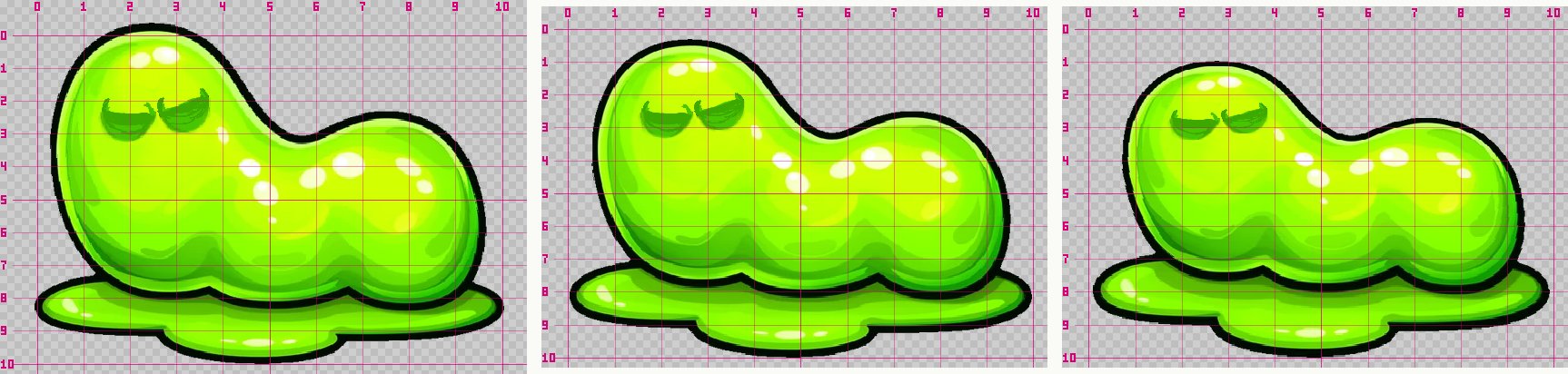
Asked directly, the model was honest about it:
Look, we have a mesh. Can you move individual points of it separately, while the rest of the mesh stays where it is?
No, I don't have that ability. … I can only control it as a whole: I set one common parameter and all the vertices are recalculated at once.
In the Spine editor an animator selects mesh points — one by one, with soft selection or through weighted bones — and keys their positions. The model had no way to say "this area up, that one stays". So we built it.
After: the same worm in plain words
Riggy can now reshape selected areas of a part while holding others still, and look at the result. That let us ask for ripples along the back while keeping the puddle and the face in place:
Let's make the bottom part, the puddle, stay absolutely still, and have the top part change with random, wave-like deformations.
Watching the loop, something was still off, and the prompt said so:
The bottom part is still moving — maybe some other deformation is acting on it, it needs to go. The waves on top are already better. And one more thing: the animation feels jerky, as if it were several animations running with a small delay between them. It should be very smooth.
The culprit was a bone squash left over from the first try, running on its own rhythm on top of the ripples. The model found and removed it, and the jerkiness was gone. Then the ripple was tuned the way you would brief an animator:
Great. Now let's lower the effect of the mesh to about the middle, because right now it mostly moves the head and barely touches the tail. And let's move the points not only vertically but a little horizontally too. Think of the surface of a jelly: when something hits it, it wobbles a bit in different directions.
For win — the symbol is in a winning line — the first version simply scaled the body. Plain words turned it into a mesh effect:
Right now the growth is very uniform — let's do it with the mesh. Remove this deformation and make a new one: the bottom and the puddle stay in place, and the top part should sort of inflate, so the worm suddenly becomes almost round and then goes back to normal. All the deformation should be in the middle and the top; the bottom stays still.
Good, let's tune the mesh a bit more. I want the head part, on the left, to barely move too — just its round outline growing a little in different directions. The tail part, on the other hand, should get a stronger effect: his flat tail should become more like a ball.
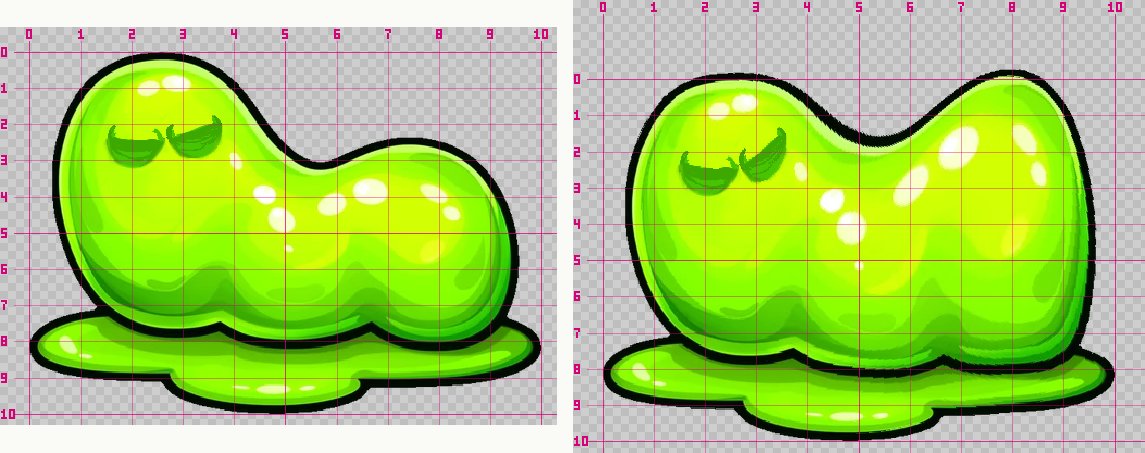
Now remove the swaying from the smile, and have it stretch one and a half times to the left and right instead.
Every one of these moved dozens of mesh points across several keyframes at once. Nobody selected a vertex or opened a key table.
How to ask for mesh motion
- Say what moves. "The top ripples like jelly", "the tail puffs up into a ball".
- Say what stays still. "The puddle and the face stay put" matters as much as what moves: it keeps the rest of the picture from drifting.
- Watch, then describe what to change. "Lower it to the middle", "more on the tail", "make it smoother". The model rebuilds the shape for each correction.
Technical notes. A part has one shape motion per animation: a wave and a point shape on the same part replace each other, so describe everything in one. A bone motion on the same part adds on top of the shape — if something moves that should not, ask what else moves it, as with the leftover squash here.
Under the hood
For the curious, two things made this possible.
- Shaping by points. The model names points on the image ("the hump at x 0.44, y 0.08"), how far each moves, and which points hold still. Moving and held points guide a smooth deformation of the whole part, with influence fading with distance; one call sets shape keyframes across the animation. Riggy refined the worm's coarse mesh for these changes, and a running wave along a part is available the same way — for flags, hair, tails and water.
- Looking at the part. The model can render a part large with a coordinate grid, at rest or with its mesh deformation at a chosen moment, read where a feature is in numbers, and inspect the result of a change instead of guessing.
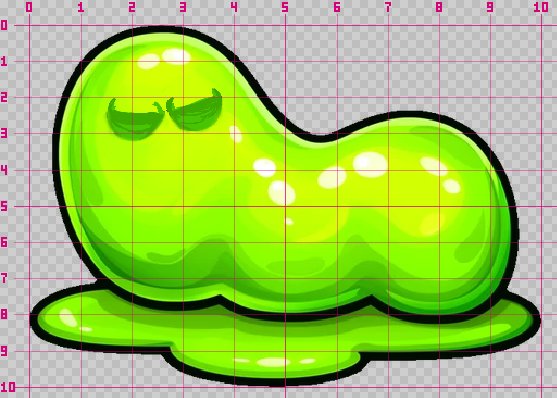
The puddle runs across the whole width: x from 0.0 to 1.0, y from about 0.73 to 0.93. … Left eye: center ≈ (0.21, 0.28). Right eye: center ≈ (0.32, 0.26). … Four points along the top of the back, head to tail: the crown (0.20, 0.03), the first hump (0.44, 0.08), the dip between the humps (0.57, 0.19), the second hump (0.70, 0.10). I haven't touched anything yet.
Coming next: bones that bend the picture
Today the worm's face is held still while the body ripples, because the eyes and mouth sit on bones and a shape cannot carry bones with it. Next we are working on weighted meshes, set up the same way — in words, with no weight painting: the model lays bones along a part and binds the picture to them, so a face can stay on a body that bends, and tails or tentacles can swing on a bone chain. One setup for every animation, and an export you can keep editing in the Spine editor.
Put it in your engine
The worm's files are on the character symbol page — download them and open them in your engine or the Spine editor. The export is plain Spine 4.2 JSON and an atlas; mesh deformation plays in every official runtime. The Phaser 4 guide walks through loading and playing a rig step by step. You pay per prompt, and every prompt in this story cost under a dollar. Shipping a game with the Spine Runtimes requires a Spine license from Esoteric Software, whoever made the skeleton — see licensing.